
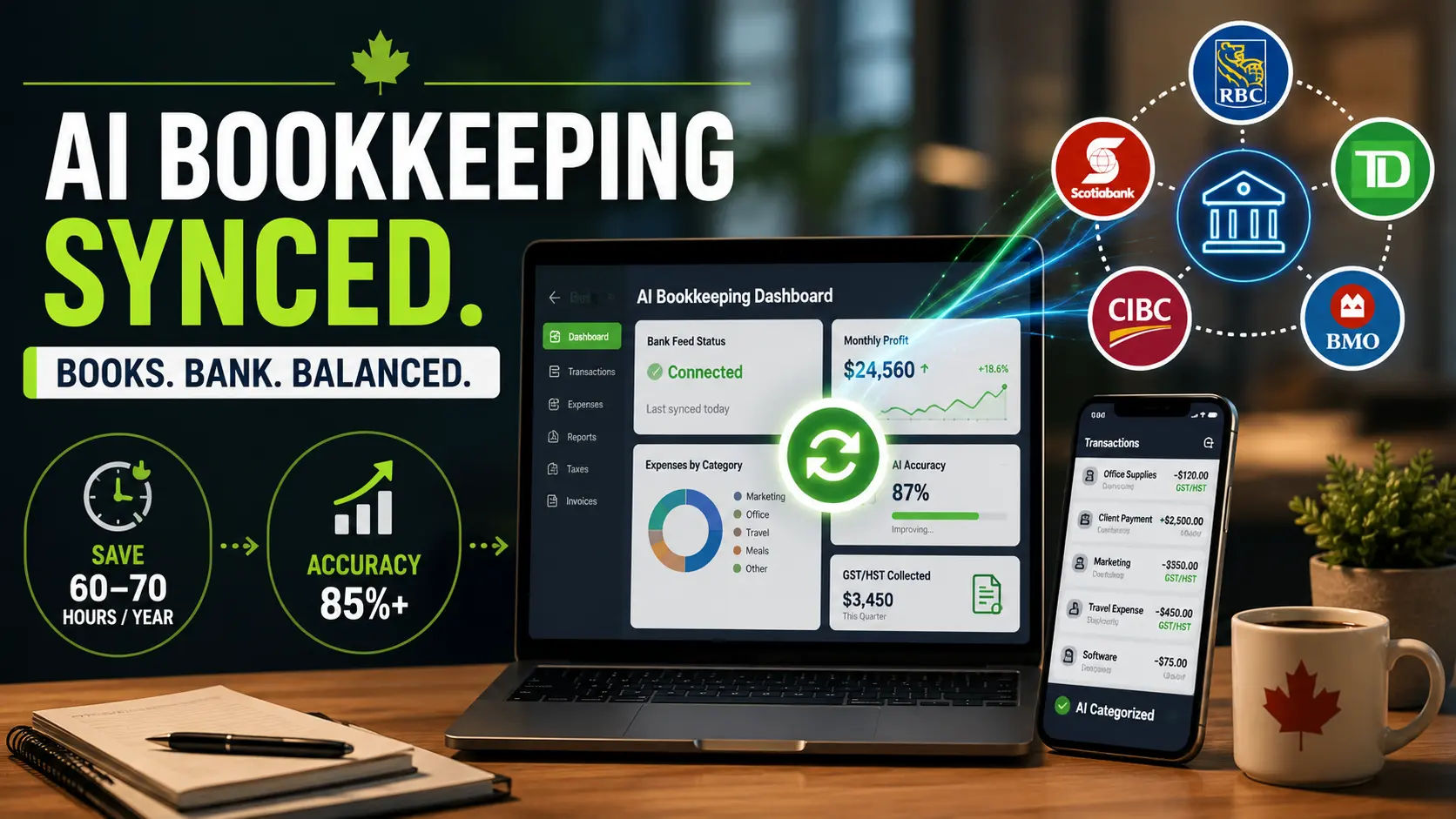
To sync AI bookkeeping with Canadian bank feeds, connect your business bank account (RBC, TD, Scotiabank, CIBC, or BMO) to a platform like QuickBooks Online or Xero, configure your GST/HST tax categories, and let the AI import and categorize transactions daily. Run a 20 to 30-minute human review each month to catch errors. Most Canadian businesses recover the $20 to $30 monthly software cost within the first week of time saved.
It is 11 p.m. on the last Thursday of the quarter. You have a cold coffee, three browser tabs open, and you are manually cross-referencing a bank statement with a spreadsheet you started in January. Sound familiar?
For most Canadian business owners, bookkeeping is not a task. It is a slow drain. Research shows entrepreneurs spend roughly 73 to 80 hours a year managing their finances manually, time that should be going toward clients, strategy, or sleep. And it is not just the hours. It is the mental load that comes with every transaction you have not categorized, every receipt you cannot find, and every CRA deadline sitting on the horizon.
Key Takeaway:
- AI bookkeeping platforms in Canada can automatically sync bank feeds, categorize transactions, reconcile accounts, and generate financial reports, significantly reducing manual bookkeeping work for small businesses. [1]
- Modern bookkeeping tools connect directly to Canadian banks and credit unions, allowing real-time transaction imports, automated GST/HST tracking, cash flow monitoring, and intelligent expense categorization. [2]
- The biggest advantages of AI bookkeeping include faster reconciliations, improved financial visibility, reduced data-entry errors, and lower accounting costs for startups, freelancers, and growing businesses. [3]
- While AI can automate much of the bookkeeping process, Canadian accountants and business owners still emphasize the importance of human review for tax compliance, complex transactions, and financial accuracy. [4]
- Businesses achieve the best results when AI handles repetitive transaction processing while accountants focus on oversight, strategy, compliance, and correcting edge-case errors that automation may miss.
Bottom Line: AI bookkeeping with synced bank feeds can dramatically simplify financial management for Canadian businesses by automating transaction processing and reporting. However, the most reliable setup combines automation with human oversight to maintain accuracy, compliance, and long-term financial clarity.
- Source: Awditify – AI Bookkeeping with Canadian Bank Feed Integration
- Source: Luca – AI Bookkeeping for Canadian Freelancers
- Source: BeanFlow – Automated AI Bookkeeping for Canadian SMBs
- Source: Reddit Discussion – Can AI Fully Replace Bookkeepers in Canada?
AI bookkeeping changes that. Not by being magic but by being consistent. When you sync your Canadian bank feeds to a smart bookkeeping system, you get transactions imported automatically, categorized intelligently, and organized in a way that makes month-end something you actually finish rather than dread.
This guide walks you through exactly how to build that system, from choosing the right software for your Canadian bank to the four-step framework that keeps your books clean without eating your evenings.
What Is AI Bookkeeping and Why Are Canadian Business Owners Adopting It Fast?
AI bookkeeping refers to accounting software that uses machine learning to automate the most time-consuming parts of financial record-keeping: importing transactions, categorizing expenses, matching receipts, and flagging anomalies. Instead of manually entering every payment, your software pulls data directly from your bank, learns your spending patterns over time, and builds a categorized ledger on its own.
The adoption curve in Canada has been steep. According to research from One Accounting, more than 40 percent of Canadian accountants now use or plan to use AI-powered bookkeeping tools, a figure that has roughly doubled over the past three years. The shift is not surprising. Canada’s tax environment is genuinely complex. Between GST/HST, provincial sales tax variations, CRA reporting requirements, and payroll compliance, the administrative burden on small businesses is real. AI tools are being built specifically to handle this complexity, not just the general bookkeeping basics.
Here is how the technology actually works. When you connect your business bank account to software like QuickBooks or Xero, the platform establishes a live feed. Your bank transmits transaction data amounts, dates, and merchants to the software on a daily or near-real-time basis. The AI then applies pattern recognition: it sees that every Tuesday you pay the same
supplier, and it starts categorizing that automatically. Over time, the system gets sharper, learns your expense patterns, and reduces the volume of transactions that need manual attention.
The result is not a fully automated set of books. It is a dramatically easier one.

The Real Cost of Manual Bookkeeping for Canadian Entrepreneurs
Most business owners underestimate what manual bookkeeping actually costs them. There are the obvious costs: the hours, the stress, and the occasional professional fee to untangle a messy quarter. But the hidden costs run deeper.
When your books are delayed, your cash flow picture is delayed. You make pricing decisions, hiring decisions, and investment decisions based on numbers that are weeks or months old. That lag is expensive even when nothing goes wrong and it is catastrophic when something does. Research suggests that roughly 82 percent of small business failures trace back to cash flow problems. Inaccurate or delayed financial data is a direct contributor to that statistic.
| Factor | Manual Bookkeeping | AI-Assisted Bookkeeping |
| Time investment | 70 to 80+ hours per year | $25 to $75/month, depending on plan |
| Accuracy | Prone to data entry errors | Pattern-based with AI flagging anomalies |
| Financial visibility | Delayed, often quarterly | Real-time dashboard |
| CRA readiness | Reactive at tax time | Ongoing, year-round |
| Cost | Low upfront, high in time | $25 to $75/month depending on plan |
The mindset shift here matters. Entrepreneurs often treat bookkeeping as a back-office nuisance. But clean, current books are actually a decision-making tool. When Darren G. started working with James, one of the first patterns they uncovered was how financial confusion was reinforcing avoidance. Darren could not clearly see what his business was generating, so he stayed stuck, not from lack of effort, but from lack of clarity. Once the fog lifted, his behavior changed. The same principle applies to your books: clarity creates decisive action.
Try this: Pull up your business bank account right now and count how many months of transactions you have not formally reconciled. That number is your clarity gap. That is the time and mental overhead AI bookkeeping can give back to you.
Which Canadian Banks Support AI Bookkeeping Feeds?
One of the first questions Canadian business owners ask is whether their bank actually connects to the software they want to use. The answer for most major institutions is yes, though the quality and reliability of those connections vary.
The Big Five banks (RBC, TD, CIBC, Scotiabank, and BMO) all support bank feed connections to QuickBooks Online and Xero. Most also connect to Wave, Zoho Books, and FreshBooks. The connection is typically established through a third-party data aggregator, which means you are sharing read-only access to your transaction data; your login credentials are never stored in the accounting software itself.
| Bank | QuickBooks Online | Xero | Wave | Notes |
| RBC | Yes | Yes | Yes | Direct feed, typically same-day sync |
| TD | Yes | Yes | Yes | Occasional sync delays reported |
| Scotiabank | Yes | Yes | Yes | Stable connection |
| CIBC | Yes | Yes | Limited | Some older account types require manual export |
| BMO | Yes | Yes | Yes | Direct feed available |
| Credit Unions | Varies | Varies | Varies | Check with your specific institution |
| Desjardins | Yes | Yes | Yes | Strong feed, particularly in Quebec |
If your bank is not on the compatibility list for your chosen software, you have a backup option: most Canadian banks allow you to export transactions as a CSV or OFX file, which you can then import manually into your accounting software. It is not as seamless, but it is a workable bridge while you evaluate your banking setup.
One practical note: if you are banking with a smaller credit union or regional institution, check the software’s connection directory before committing to a plan. Some smaller institutions have limited API access that prevents live feeds.
Cross-Border Payments and USD Transactions: The Canadian Complexity Most Guides Skip

If your business deals in US dollars through clients, platforms like Stripe or PayPal, or supplier payments, bank feed sync gets more nuanced, and most beginner guides gloss right over this.
Here is the challenge. When a USD payment hits your Canadian bank account, your software needs to convert it to CAD for reporting purposes. The exchange rate it uses, and when it applies that rate, can create discrepancies between what your books show and what the CRA expects to see. This is not a software failure. It is a workflow that needs deliberate setup.
How to handle multi-currency transactions properly:
First, choose a tool built for it. Xero has strong multi-currency support and is particularly well-suited for Canadian businesses with international clients. QuickBooks Online also handles multi-currency, though you need to be on the Plus or Advanced plan. Wave’s multi-currency support is limited.
Second, set your home currency to CAD from day one. This sounds obvious, but skipping it causes categorization chaos that is painful to unwind.
Third, connect your Stripe or PayPal accounts directly to your accounting software. Most platforms support this. Your USD transactions flow in with the conversion rate applied at the time of the transaction, which is typically what the CRA wants to see.
Fourth, review your foreign exchange entries monthly. AI tools can mishandle currency conversions when exchange rates fluctuate significantly. A quick monthly scan of multi-currency entries will catch the outliers before they become a year-end problem.
For Canadian businesses processing meaningful volumes of USD, it is also worth considering a business account that natively holds multiple currencies (like Wise Business) and integrates with your accounting software. This reduces the number of conversion events your books need to track and keeps your reconciliation cleaner.
The Best AI Bookkeeping Tools for Canadian Bank Feed Integration
There is no single best tool for every Canadian business. The right choice depends on your transaction volume, whether you work with an accountant, your GST/HST complexity, and whether you handle foreign currencies. Here is an honest comparison.
| Tool | Best For | Canadian Strengths | Key Weakness | Monthly Price (CAD) |
| QuickBooks Online | SMBs wanting full CRA compliance | Full HST/GST across all provinces, T4/T5 support, large ProAdvisor network | Gets expensive at higher tiers | From $25 |
| Xero | Collaborative teams, multi-currency | 800+ integrations, excellent multi-currency, clean interface | Payroll requires an add-on | From $29 |
| Wave | Solopreneurs and early-stage businesses | Free core features, basic bank sync | Limited AI categorization, no payroll in Canada | Free (paid add-ons) |
| Zoho Books | Businesses already in the Zoho ecosystem | Full GST/HST support, strong automation | Less common among Canadian accountants | From $20 |
| FreshBooks | Service businesses and freelancers | Strong invoicing, easy to use | Weaker bank feed depth than QuickBooks or Xero | From $19 |
A note on AI add-ons:
Tools like Dext (formerly Receipt Bank) and Hubdoc extend your core software by capturing receipts, extracting data with AI, and syncing directly to QuickBooks or Xero. If you deal with high-volume trades, restaurants, or retail, adding one of these to your stack is worth the investment. Dext handles Canadian GST/HST extraction reliably, which makes it particularly valuable at tax time.
The 4-Step AI Bookkeeping System for Canadian Businesses

This is the framework that makes bank feed automation actually work not just as a technical connection, but as a financial operating system for your business.
Step 1: Bank Feed Input
Connect your Canadian business bank account and credit cards to your chosen software. Use a dedicated business account, never your personal one. The AI cannot distinguish personal from business spending, and mixing them creates a reconciliation nightmare. Most connections take under five minutes to establish through the software’s bank feed directory.
Step 2: AI Categorization and Processing
For the first 30 days after connection, let the AI work while you review. Every day, your software pulls in the previous day’s transactions and applies categories based on merchant names and patterns. For the first month, budget two to three hours total to review and correct miscategorizations. Every correction you make trains the system. By month two, most Canadian businesses see categorization accuracy above 85 percent for regular transactions.
Step 3: Human Validation and Control
This step is non-negotiable. AI categorization is a starting point, not a final answer. Once a month, do a 20 to 30 minute review: check for duplicate entries, flag any unusual transactions, verify that GST/HST has been applied correctly, and confirm that your account balances match your actual bank statement. This monthly validation is what separates a business with clean books from one that discovers problems at year-end.
Step 4: Reporting and Decision-Making
This is where the investment pays off. Once your books are current and categorized, your software can generate a real-time profit and loss statement, a cash flow dashboard, and CRA-ready expense reports on demand. You shift from reacting to your finances to making decisions based on them. That shift is worth more than the monthly software fee.
Try this: After your first month of bank feed sync, run a profit and loss statement in your software. Compare what you see to what you thought you knew about your business finances. The gap between those two things is your clarity dividend.
Step-by-Step Setup Guide for Canadian Business Owners
Getting started is simpler than most people expect. Here is the sequence.

Connect your bank account
Log in to your accounting software and navigate to the banking or bank feeds section. Search for your financial institution. You will be prompted to log in through a secure third-party connection. This gives the software read-only access to your transaction data. No payment information is stored in the accounting platform.
Set up your GST/HST tax rates
In Canada, this step is critical and often skipped. Before the AI starts categorizing, tell your software which province you operate in and configure your GST/HST rates accordingly. QuickBooks and Xero both have Canadian tax presets. This ensures that every categorized transaction has the correct tax treatment applied automatically.
Create expense categories that match CRA expectations
Most software comes with default categories. Customize them to reflect how you actually run your business and how the CRA expects you to report. Common Canadian categories include advertising, meals and entertainment (50 percent deductible), home office expenses, vehicle expenses, and professional development. The more specific your categories, the more useful your reports become.
Connect your other financial tools
If you use Stripe, PayPal, Shopify, or a payroll platform, connect those now. Each integration adds a new data stream to your books without requiring manual entry. For payroll specifically, look for CRA-compliant options like Wagepoint or QuickBooks Payroll that sync directly to your accounting records.
Run your first reconciliation
At the end of your first month, compare your software’s records to your actual bank statement line by line. Identify any gaps or discrepancies. This first reconciliation typically takes longer than subsequent ones because you are both learning the system and cleaning up any pre-existing data issues. After month one, it should take under 30 minutes.
Why AI Bookkeeping Breaks: The Canadian Reality Check
No honest guide skips this part. AI bookkeeping creates real efficiencies, but it also introduces specific failure modes that Canadian business owners should know before they trust the system.
Sync failures
Bank feed connections can break when your bank updates its security protocols or when the data aggregator experiences an outage. If you notice your transaction feed has stopped updating, do not wait. Log in to your software, check the connection status, and re-authenticate if prompted. Missing a week of transactions is manageable. Missing a month is not.
Duplicate transactions
If you connect both a bank account and a payment platform (like Stripe or Square) to the same software, you may see the same transaction appear twice, once from each source. Set up exclusion rules for the accounts that feed into each other to prevent double-counting.
Misclassification of unusual expenses
The AI is trained on patterns. When you have a one-off expense, a conference registration, a new equipment purchase, or a professional development course it often gets misclassified into a generic category. These are exactly the transactions to watch during your monthly review.
Canadian-specific limitations
Not all AI categorization tools understand the nuances of Canadian tax law. HST versus GST versus PST distinctions, the 50 percent meals and entertainment deduction rule, and CCA (capital cost allowance) classifications for equipment purchases all require human judgment. Use AI to handle your high-volume routine transactions, and flag anything complex for your accountant.
The right expectation is this: AI bookkeeping reduces your manual work by roughly 80 percent. The remaining 20 percent still needs a human. Build that 20 percent into your monthly system and the whole thing works beautifully.
The Hidden Cost of Financial Blind Spots: What Messy Books Really Do to Your Business

This section might feel like a detour from the technical setup, but it is actually the most important part of the conversation.
In over 20 years of working with business owners, James has seen a consistent pattern: the entrepreneurs who struggle to grow are often not struggling with strategy or effort. They are struggling with clarity. And one of the biggest drivers of that confusion is not knowing where their money actually is.
When your books are weeks behind, you cannot accurately answer the questions that drive growth: Am I profitable? Can I afford to hire? Should I take on this project? What does my cash flow look like in 90 days? Without current financial data, those decisions get made on gut feeling and gut feeling has a poor track record as a financial strategy.
There is also a behavioral dimension here. Messy books tend to create avoidance. When looking at your finances feels overwhelming, you look at them less often, which makes them more overwhelming. It is a loop, and it is surprisingly common among capable, motivated entrepreneurs. Darren G. experienced this directly. He had a solid income and real potential, but financial confusion had become a ceiling. Once he could see his numbers clearly and understand what they meant, his decision-making changed completely. The breakthrough was not the tool. It was the clarity the tool unlocked.
AI bookkeeping does not just save you time. It removes the friction that keeps you from looking at your finances honestly. And when you can look at your finances honestly, you can finally build the kind of business that creates real, lasting success.
This connects directly to Pillar 1 of the Unleash Your Power framework: Clarity of Vision. You cannot pursue a vision you cannot see clearly. Your financial picture is part of that vision. Clean books are not a nice-to-have. They are a prerequisite for growth.
Data and Findings: What the Numbers Say
The case for switching is backed by research, not just convenience.
According to Better Accounting, entrepreneurs spend roughly 73.9 hours per year on reconciliation alone, with about 40 percent of SME owners logging more than 80 hours annually on financial admin. One Accounting reports that over 40 percent of Canadian accountants now use or plan to use AI bookkeeping tools, a number that has doubled in three years. MB Accounting Canada adds the stakes: roughly 82 percent of small business failures trace back to cash flow problems, which real-time bank sync directly addresses. On accuracy, QuickBooks Canada data shows businesses that review AI categorizations in the first 30 days consistently reach above 85 percent accuracy on routine transactions. And according to the Vitality Cash 2025 guide, most Canadian platforms start at just CAD $20 to $30 per month.
The barrier to entry is low. The time returned is high. The longer you wait, the more hours you leave on the table.
Frequently Asked Questions
Can you sync Canadian bank feeds with AI bookkeeping for free?
Yes, you can sync Canadian bank feeds using free tools, but features are limited. Platforms like Wave Accounting offer basic bank connections with fewer automation capabilities. Paid tools such as QuickBooks Online and Xero provide more reliable syncing, automation, and accuracy.
Is AI bookkeeping CRA-compliant in Canada?
Yes, AI bookkeeping can be compliant with Canada Revenue Agency requirements if configured correctly. Tools like QuickBooks Online and Xero support GST/HST tracking and reporting. However, compliance ultimately depends on proper setup, categorization, and regular review.
How long does it take to set up the AI bank feed sync?
Initial setup typically takes between 5 and 15 minutes. During the first 30 days, you’ll need to review and correct transactions so the system can learn your patterns. After that, ongoing maintenance usually drops to under 30 minutes per month.
Why are transactions miscategorized in AI bookkeeping?
AI bookkeeping systems rely on pattern recognition and historical data. When new or unusual transactions appear, the system may assign incorrect categories. Correcting these errors helps train the AI and improves future accuracy.
Do you still need an accountant with AI bookkeeping?
Yes, an accountant is still essential for higher-level financial oversight. AI tools handle data entry and automation, but they do not replace strategic decision-making. Accountants ensure compliance, optimize tax strategies, and interpret financial data.
Which AI bookkeeping tools work best in Canada?
Popular options include QuickBooks Online, Xero, and Wave Accounting. These platforms are designed to support Canadian tax rules, including GST/HST tracking. They also offer bank feeds, automation, and integrations suited for small businesses.
How accurate is AI bookkeeping for Canadian businesses?
AI bookkeeping systems are typically 85–90% accurate after an initial training period. Accuracy improves as the software learns your transaction patterns and corrections. Regular reviews ensure errors are minimized and financial data stays reliable.
Conclusion: You Do Not Need to Be a Numbers Person. You Need a System.
The business owners who manage their finances well are not the ones who love spreadsheets. They are the ones who have built a system that makes financial clarity automatic.
Syncing AI bookkeeping with your Canadian bank feeds is how you build that system. Connect your accounts, configure your tax categories, let the AI handle the routine work, and spend 30 minutes a month as the quality check. That is it. That is the whole thing.
When your books are current, your decisions get sharper. Your tax season gets shorter. Your cash flow picture gets clearer. And the mental overhead that was quietly burning your energy every month goes somewhere more useful.
If you want to support building the business systems and mindset that actually drive growth, not just the bookkeeping tools, but the strategic clarity that makes them worth having, working with a business coach in Toronto is a natural next step. James works with Canadian entrepreneurs who are ready to stop managing chaos and start building something intentional.
Unleash Your Power: Stand Out, Take Action, and Create the Success You Want.